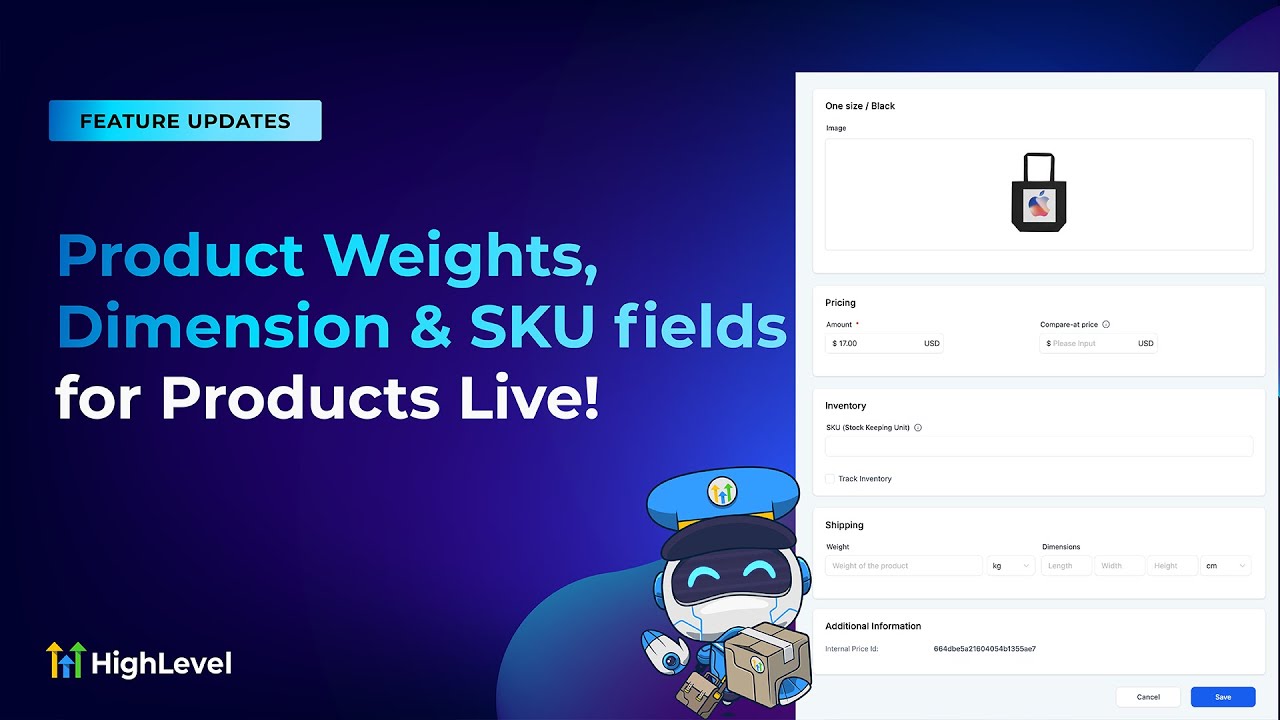
Initially, users must create a price or variant to access the respective page via the hyperlink in Product name. A “New” tag will appear for newly added unsaved prices, and the price/ variant page will be available only after saving the changes. In addition to tracking inventory, users can add product weights, dimensions, and SKUs within the variants or pricing page.


Shaun, We need shipstation integration for GHL e-commerce.
We will have shippo soon and ship station after should be the next few weeks
@@gohighlevel UPS/USPS/Fedex/DHL all have API integrations as well
Where can I see what the video shows? I checked and not seeing it…?
Payment > Settings > Shipping & Delivery > Add Zones > Add Rate
@@gohighlevelI see this option for weight, dimensions,…
But not seeing where the SKU / Inventory section is…
@@brianmiglionico5835 Sorry, try Payments > Products > Create Product > Add Pricing/ Variants > Pricing/ Variant
Some notes on this:
Initially, users must create a price or variant to access the respective page via the hyperlink in Product name.
A “New” tag will appear for newly added unsaved prices, and the price/ variant page will be available only after saving the changes.
In addition to tracking inventory, users can add product weights, dimensions, and SKUs within the variants or pricing page.
@@gohighlevel still not seeing 😮💨🤷🏼♂️
@@brianmiglionico5835 add a variant then click the name of the variant after you save it